Yoosee is an app platform behind many inexpensive OEM Wi-Fi cameras. Models support ONVIF plus RTSP and HTTP on port 554, so Agent DVR can auto-discover them or connect with a direct URL; set a camera password in the Yoosee app first. Add a Yoosee camera to Agent DVR for free local recording, motion detection and remote viewing on any device.
Yoosee connection URLs
Tip: Click a model to generate a video connection URL for your Yoosee camera
| Models | Type | Protocol | URL |
|---|---|---|---|
| 20048, 25512319, 2981432, 8177, J1080P, qf502, Y-8177, Y-8177 1080P, INOVA KV-0010, H10, HX2221, QC33, A31 - A28B, IDK, ABQ-A8 | FFMPEG | RTSP | /onvif2 |
| 2262711 | JPEG | HTTP | /image.jpg |
| 25512319, 29074193, 2981432, 34930167, 360, 6310, 8177, C100E, D100, DOM-J1080P, EC9-IPC-JV-3480-F, GW10, HL-100SS, IL-HIP292-1M-ZY, J1080P, ORB776, P1080, Q16-1080-WH, Q16-5MP-WH, RW-650S, W10, Y-8177, Y-8177 1080P, Y-8777, YD-D-01, YN-8801JW-2MP, YN-8807JW-2MP, YN-881JW-2MP, YYC-XF2+3, ZN001, LB-CA187, 231204, IPC6, LB-CA219, QC33, 3600, SD56, jortam, Cugo, SC-Y2058W | FFMPEG | RTSP | /onvif1 |
| 29074193, C9F0SeZ3N0P6L0, c-yz01d2f11e4n, RC65, Unknown | FFMPEG | RTSP | /11 |
| Unknown | FFMPEG | RTSP | /user=[USERNAME]&password=[PASSWORD]&channel=1&stream=0.sdp? |
| Unknown | FFMPEG | RTSP | /0 |
| GW4 | JPEG | HTTP | /cgi-bin/snapshot.cgi?chn=[CHANNEL]&u=[USERNAME]&p=[PASSWORD] |
| GWIPC | FFMPEG | RTSP | /1 |
| IL-HIP292-1M-ZY | JPEG | HTTP | /snap.jpg?JpegCam=[CHANNEL] |
| J1080P | FFMPEG | RTSP | /live.sdp |
| YN-8801JW-2MP, ys06, DH31G-, DH31G-3MP-WH | FFMPEG | HTTP | /video.mjpg?q=30&fps=33&id=0.5 |
* iSpyConnect has no affiliation, connection, or association with Yoosee's products. The connection details provided here are crowdsourced from the community and may be incomplete, inaccurate or out of date. We provide no guarantee or warranty that you will be able to connect to your cameras using these URLs.
How to connect Yoosee cameras to Agent DVR
- Download and install Agent DVR - free for local use on Windows, macOS, Linux, Docker and Raspberry Pi.
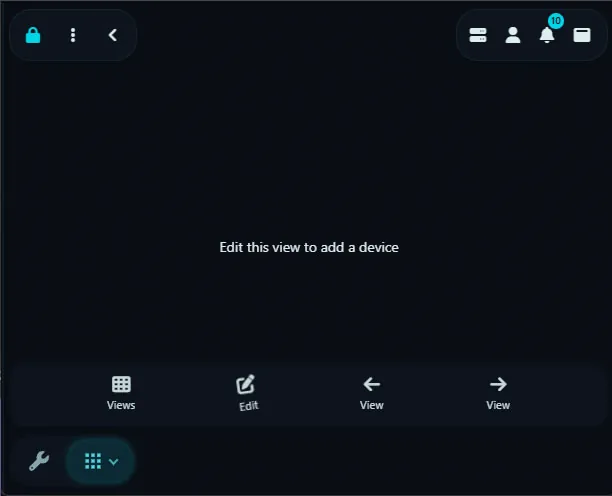
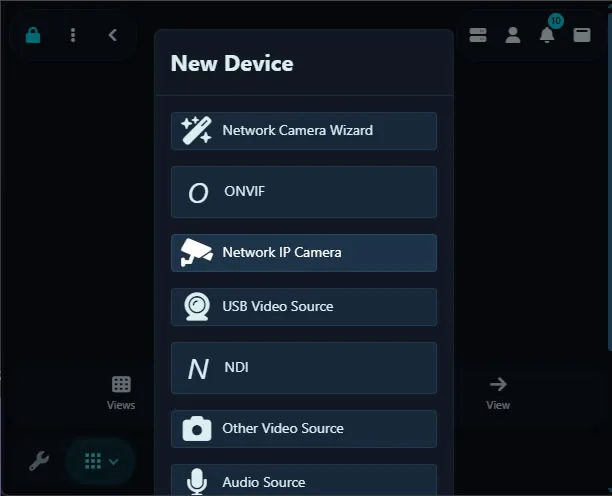
- Open Agent DVR in your browser and click the + (Add) button, then choose "IP Camera Wizard".
- Run an ONVIF scan to auto-discover Yoosee cameras on your network, or select Yoosee from the manufacturer list.
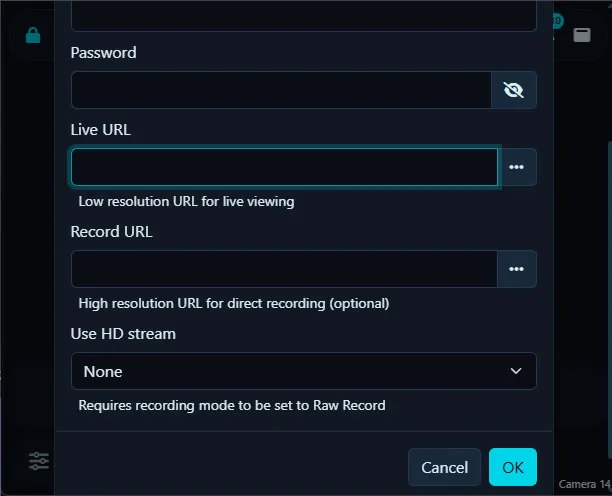
- Enter your camera's IP address, username and password. These stay on your machine and are never sent to iSpyConnect.
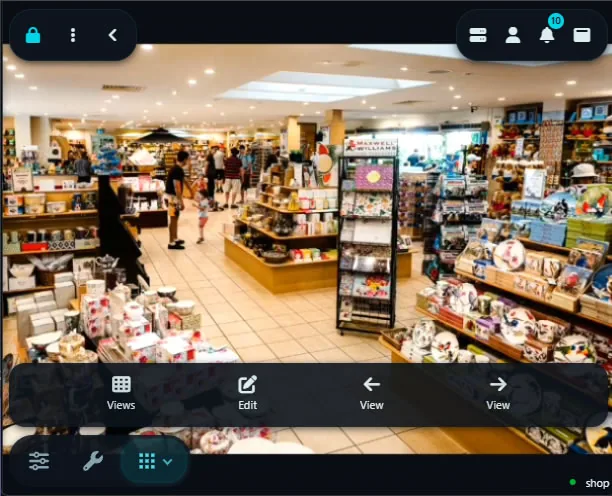
- Pick the RTSP connection URL (default port 554) and save. Agent DVR begins live streaming, motion detection and recording.
Yoosee Camera FAQ
How many Yoosee camera models does iSpyConnect support?
iSpyConnect's crowd-sourced database lists 58 Yoosee models with 11 connection URLs, updated daily by the community.
What is the RTSP URL for Yoosee cameras?
Yoosee cameras typically connect over RTSP on port 554. For example, the Yoosee 20048 connects at rtsp://[camera-ip]:554/onvif2 - replace [camera-ip] with your camera's address and add your username and password, or click any model in the table above to generate the exact URL.
Do Yoosee cameras support ONVIF?
Yes. Yoosee cameras in our database support ONVIF, so Agent DVR can automatically discover and add them - no manual URL required. You can also use a direct RTSP URL from the table above.
How do I connect Yoosee cameras to Agent DVR?
Install Agent DVR (free), click the + button, choose the IP Camera Wizard or run an ONVIF scan, select Yoosee, enter your camera's IP address, username and password, then pick a connection URL. Agent DVR starts live streaming, motion detection and recording immediately.
Other makes starting with "Y"
| Y | Y-cam, Yale, Yamla, Yanivision, Yarsor, Yatwin, Yawcam, Ycc, Ycc365, Ycc365 Plus, Yccplus, Yctechcam, Yeekamo, Yeesee, Yeluor 360 2k, Yeskamo, Yhdo, Yi, Yiantime, Yicam, Yihack, Yiliao, Yinxn, Yipc, Yoics, Yoko Tech, Yoluke, Yoosee, Yoteware, Yotex, Ysa, Ysee, Ysxlite, Yucheng, Yucvision, Yudor, Yunch, Yunshian, Yunsye, Yuzun |
|---|
* iSpyConnect has no affiliation, connection, or association with Yoosee's products. The connection details provided here are crowdsourced from the community and may be incomplete, inaccurate or out of date. We provide no guarantee or warranty that you will be able to connect to your cameras using these URLs.