iSpyConnect's community-maintained database lists 4 Securia Pro camera models with 3 crowd-sourced connection URLs. Securia Pro cameras connect using RTSP and HTTP, typically on port 554. Connection data is crowd-sourced from the community and updated daily.

4 modelsRTSP · HTTPPort 554Updated 8 Jun 2026
Agent DVR is free for personal, local use. Download Now Remote access or business use → Pricing

Securia Pro connection URLs

Tip: Click a model to generate a video connection URL for your Securia Pro camera

Models Type Protocol URL
1234, 3108, UnknownFFMPEGRTSP/cam/realmonitor
N388T-200WJPEGHTTP/tmpfs/auto.jpg
UnknownFFMPEGRTSP/11
Page
1

* iSpyConnect has no affiliation, connection, or association with Securia Pro’s products. The connection details provided here are crowd sourced from the community and may be incomplete, inaccurate or out of date. We provide no guarantee or warranty that you will be able to connect to your cameras using these URLs.
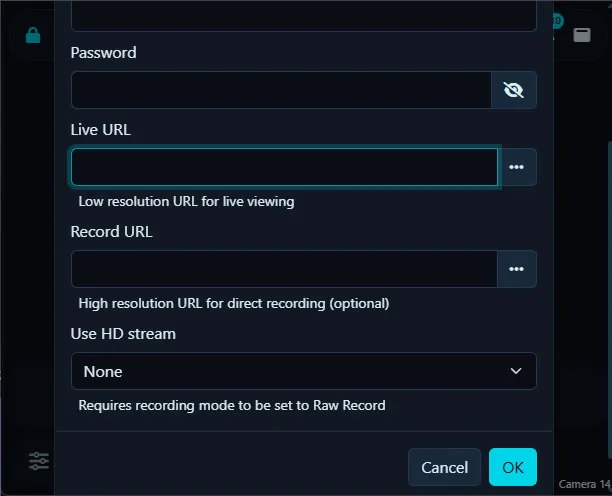
How to connect Securia Pro cameras to Agent DVR

  1. Download and install Agent DVR — free for local use on Windows, macOS, Linux, Docker and Raspberry Pi.
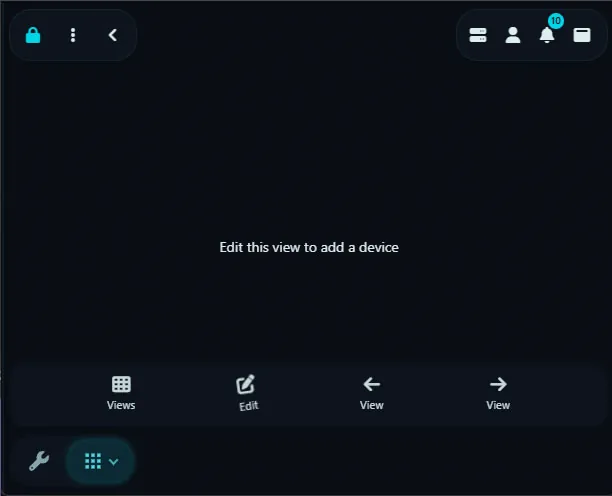
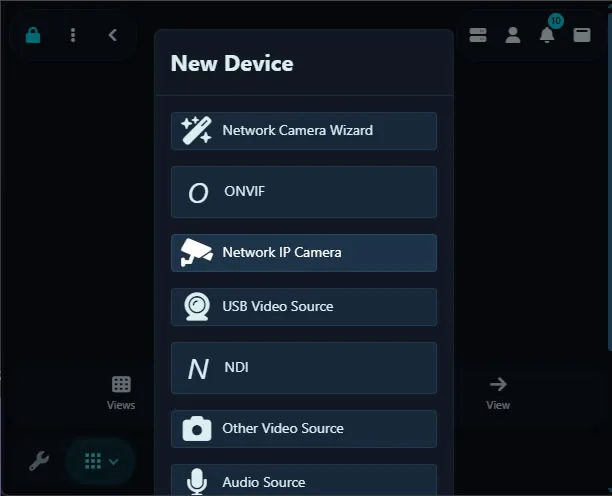
  2. Open Agent DVR in your browser and click the + (Add) button, then choose "IP Camera Wizard".
  3. Select Securia Pro from the manufacturer list.
  4. Enter your camera's IP address, username and password. These stay on your machine and are never sent to iSpyConnect.
  5. Pick the RTSP connection URL (default port 554) and save. Agent DVR begins live streaming, motion detection and recording.

Securia Pro Camera FAQ

How many Securia Pro camera models does iSpyConnect support?

iSpyConnect's crowd-sourced database lists 4 Securia Pro models with 3 connection URLs, updated daily by the community.

What is the RTSP URL for Securia Pro cameras?

Securia Pro cameras typically connect over RTSP on port 554. For example, the Securia Pro 1234 connects at rtsp://[camera-ip]:554/cam/realmonitor — replace [camera-ip] with your camera's address and add your username and password, or click any model in the table above to generate the exact URL.

Do Securia Pro cameras support ONVIF?

It varies by model. If your Securia Pro camera supports ONVIF, Agent DVR can auto-discover it; otherwise use a direct RTSP URL from the table above.

How do I connect Securia Pro cameras to Agent DVR?

Install Agent DVR (free), click the + button, choose the IP Camera Wizard, select Securia Pro, enter your camera's IP address, username and password, then pick a connection URL. Agent DVR starts live streaming, motion detection and recording immediately.


Other makes starting with "S"
SS.vision, S3vc, Saance, Sab, Sacam, Saewit, Safecam, Safehome, Safer, Safesky Cn, Safevant, Safire, Samgane, Samsco, Samsung, Sanan-cctv, Sanetron, Sannce, Sansco, Santachi, Santec-video, Sanyo, Sanzio, Saocom, Saphire, Sapsan, Saqicam, Sarmatt, Sarotech, Sas Digital, Satvision, Savitmicro, Savvypixel, Sawyobi, Saxxon, Sayus, Scada Technology, Scancam, Schlage, Schneider, Scout Cctv, Scs, Scsi, Scv3, Scw, Sdc, Sdeter, Sea Wit, Secam Cctv, Seccam, Sectec, Secu First, Secueasy, Seculink, Secuon, Secuplug, Secur Eye, Secur360, Securecam, Securia Pro, Securicom Tunisie, Security, Security Cam, Security Camera 2000, Security Camera Warehouse, Security Labs, Securitytronix, Securix, Secuvision, Seecam, Seecom, Seedary, Seenergy, Seesoon, Seetong, Sefica, Seif, Seimem, Seisa, Seisatek, Selea, Semac, Senao, Sensormatic, Sentient Pro, Sentry 360, Sentryview, Sentul, Sepcam, Septekon, Sequrecam, Serage, Serang, Sercam, Sercomm, Serioux, Sertek, Ses, Sesco Security, Seteye, Setik, Seven Systems, Sgs, Shamim, Shany, Sharx Security, Shenwhen Neo Electronic Co, Shenzhen, Shenzhen Reecam Tech.ltd., Shenzhen Tong Bo Wei, Shenzhen Toptech, Shenzhen Ycx Electronics, Shieldeye, Shindai, Shinsoft Co, Shiwojia, Shixin China, Short, Short 8ch Nvr, Showtec, Sibel, Sibo, Sichuan, Siemens, Siepem, Sightlogix, Sigma Electronics, Sigmatel, Signet, Sikvio, Silent Sentinel, Silicon Labs, Silvus, Simi Ip Camera Viewer, Simicam, Simshine, Sineoji, Sinocam, Sinovision, Sionyx, Sip, Siqura, Siricom, Sisview, Sitecom, Sjet, Sk Tel, Skilleye, Skjm, Sklad, Skone, Sky Genious, Skyfield, Skylink, Skyreo, Skytronic, Skyview, Skyvision, Skyway Security, Sline, Smallcell, Smanos, Smar, Smart, Smart Cloud Camera, Smart Hd Wifi Camera, Smart Home, Smart Industry, Smart Net Camera, Smart Pixel, Smart Zoom, Smart380, Smartcam, Smartec, Smarteye, Smartfrog, Smartguard, Smartiscam, Smartit, Smartrol, Smartsecurity, Smartsf, Smarttek, Smartview, Smartvision, Smartwares, Smax, Smc, Smonet, Smp, Smtkey, Smtsec, Smvi, Sn Ipc, Snapav, Soar, Soggi, Soho, Solar Ip Camera, Solarcam, Soleratec, Solosecurity, Solwise, Sonoff, Sony, Soohao, Soospy, Sorrano, Sotion, Soullife, Sovmiku, Sozo, Space Technology, Spacetronik, Sparklan, Spc, Speco, Sperado Cctv, Spetslab, Spider, Spigen, Spotai, Spotcam, Sprint Cctv, Spy Cameras, Spycam, Spyclops, Spydroid, Spytech, Spytecinc, Sq11, Squira, Sricam, Sricctv, Srihome, Sspc, Sst, Sstech, St-nt280e1, St-team, Stabo, Stadis, Stalwall, Stanley, Star Eye, Star Vedia, Starcam, Stardot, Stardot Tech, Starir, Starlight, Start Vision, Steinel, Stem, Steren, Stipelectronics, Stopcontact, Storage Options, Storex, Storm, Strawberry, Strongshine, Stuart Cam, Styco, Suba, Sucam, Sucjar, Sucura Networks, Sudvision, Sumpple, Sumvision, Sunba, Sunbio, Sunchan, Suncomm, Sundari, Sunell Security, Suneyes, Sunivision, Sunkwang, Sunluxy, Sunnex, Sunnylux, Sunplus Innovation, Sunsom, Suntek, Sunvision Us, Sunywo, Super Focus, Supera, Supercircuits, Supereye, Superspring, Supervision, Supra Space, Supvin, Surcomm, Sure-eye, Surecom, Surip Cam, Surveilist, Surveon, Surway Technology, Surya-net, Sv3c, Sv3p, Svat, Svb International, Svbc, Svc, Sve3, Svec, Svi, Svision Co, Svn, Svplus, Sw360, Swann, Sweex, Swibe, Swnhd-800cam, Sy2l, Sygonix, Symynelec, Syneye, Synshore, Syny-snc, Syokudou, Syscom Cctv, Systemmax, Systoda, Szneo, Szsinocam

More Sources

* iSpyConnect has no affiliation, connection, or association with Securia Pro’s products. The connection details provided here are crowd sourced from the community and may be incomplete, inaccurate or out of date. We provide no guarantee or warranty that you will be able to connect to your cameras using these URLs.